Find Leftovers
Find files associated with apps that no longer appear installed. Review every match before choosing what to move.
Preferences, caches, containers & more
TidyExit helps you find app leftovers, clear caches, and reset an app's data. Review each choice, then move files to a quarantine you can undo.
Free for macOS 14 and later. No account or subscription.
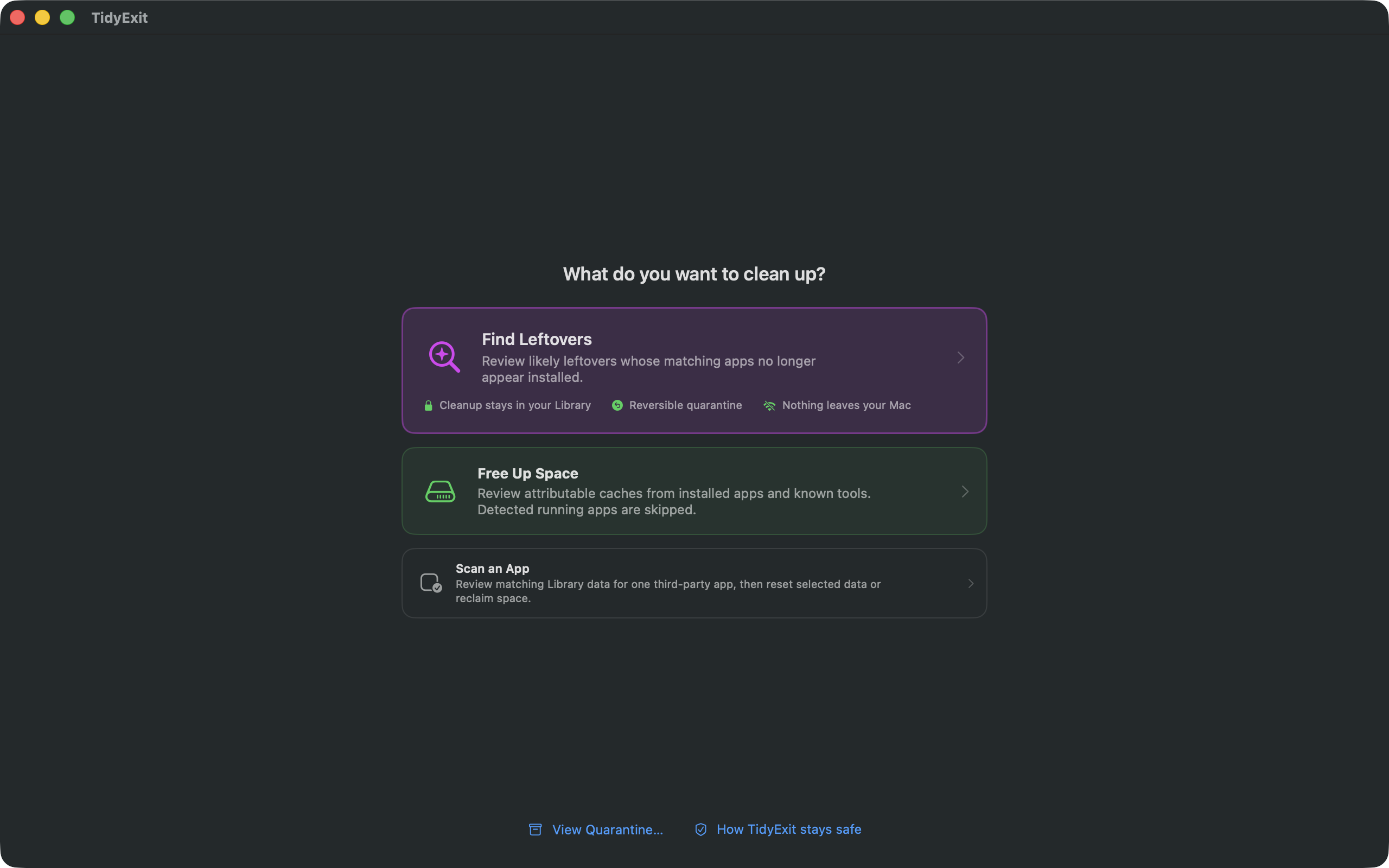
Three ways to tidy up
Whether you're clearing space or starting fresh, you stay in charge of what moves.
Find files associated with apps that no longer appear installed. Review every match before choosing what to move.
See caches from installed third-party apps and common tools, ordered by size, with warnings about what may need to rebuild.
Choose a third-party app and review its Library data. Reset what you select when you want a fresh start.
See before you move
TidyExit groups results by app and file type, showing the path and size so you can make an informed choice. Potentially shared or ambiguous items are marked for extra review.
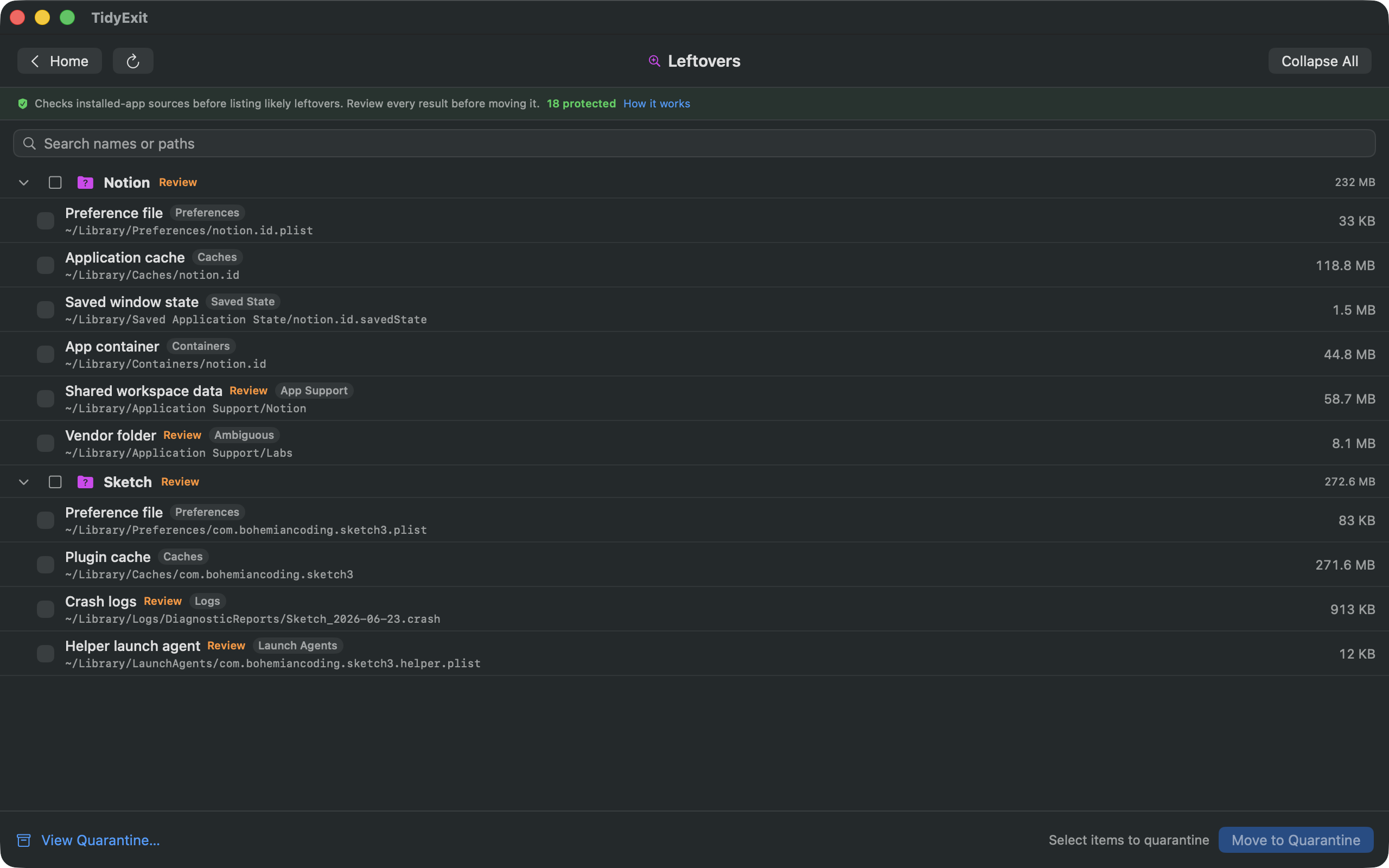
Simple by design
Look for leftovers, make room by clearing caches, or focus on one app.
See what TidyExit found and decide exactly which items to move.
Selected files move to local Quarantine, where you can restore them or send them to Trash.
Private from the start
TidyExit works locally, with no account, analytics, tracking, or network access. It asks you to choose your Library folder through the standard macOS picker, then shows you the files it can identify there.
Read the privacy policySelected files move to TidyExit's local Quarantine first. Restore them there, or ask macOS to move them to the Trash when you're ready.

TidyExit for macOS
Find what you no longer need, review it carefully, and keep control of every cleanup.
Get TidyExit on the Mac App StoreNeed help? Visit support.